
From My Experience
Three years ago I was sitting with a fresh graduate in a small café in Gulberg, Lahore. He had a decent degree, good communication skills, and seven months of failed job hunting behind him. He was exhausted and starting to believe the problem was him.
I asked him to show me how he searched for jobs. He opened Google and typed: marketing jobs Lahore. The results were generic Job board listings. Outdated postings. Nothing specific, nothing useful.
I took the laptop and typed: site:linkedin.com/in “marketing manager” “Lahore” “we are hiring” Three relevant posts from actual hiring managers appeared two posted within the last week.
His jaw dropped. Same Google. Same internet. Completely different results.
That afternoon I taught him six advanced search techniques. Within three weeks he had found and directly contacted two hiring managers, researched five target companies deeply enough to customize his applications completely, and landed an interview at a digital agency he didn’t even know existed before that day.
He got the job.
Why Casual Searching Fails Job Seekers
When you type a casual phrase into Google, you get casual results. Generic job board listings that everyone else is also seeing. Outdated postings that closed weeks ago. Company pages optimized for customers, not job seekers.
Casual searching puts you in the same pile as every other applicant. Advanced searching puts you in a different category entirely.
Here’s what advanced search actually unlocks:
None of this requires paid tools or insider access. It requires knowing how to talk to Google properly.
Now Let’s dive deep into all these with some practical examples.
Technique 1
The Exact Phrase Search
Quotation marks ” “
Putting quotes around a phrase tells Google to find those exact words in that exact order. Without quotes, Google finds pages containing all those words anywhere, in any order, mixed with other content.
marketing manager Karachi hiring
Returns: anything mentioning marketing, managers, Karachi, or hiring separately or together.
marketing manager” “Karachi” “hiring“
Returns: pages where all three phrases appear exactly as written.
“we are hiring” “Karachi” “fresh graduate” Finds actual hiring announcements targeting fresh graduates in Karachi.
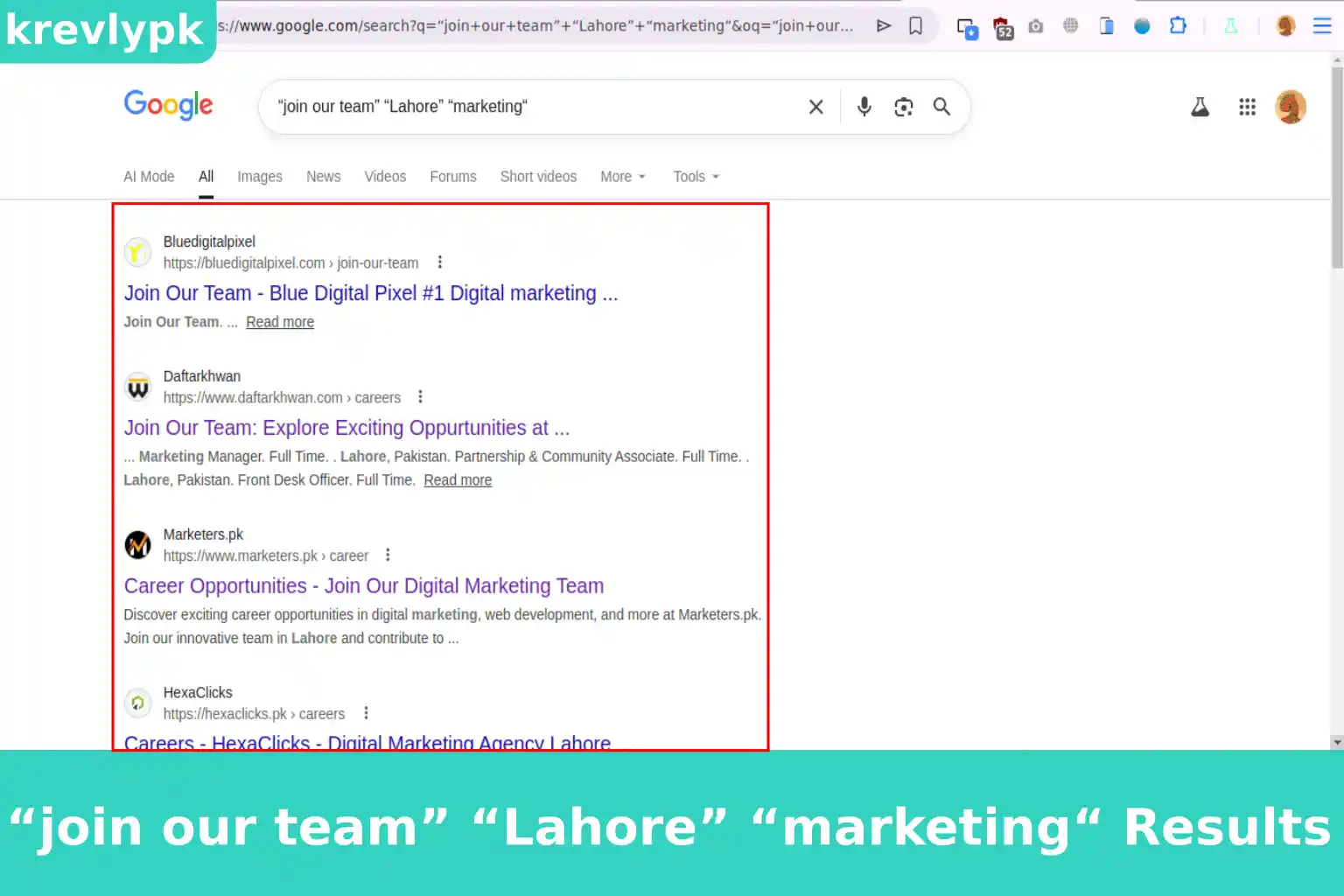
“join our team” “Lahore” “marketing“
Finds team expansion posts and job announcements in your city and field.
“graduate trainee program” “Pakistan” “2026” Finds current graduate trainee announcements specifically for 2026.
Technique 2
The Site Search
site: This is the operator used for deep research for specif company.
Tells Google to search only within one specific website. This turns Google into a powerful internal search engine for any site including LinkedIn, company career pages, and job boards.
site:website.com your keywords
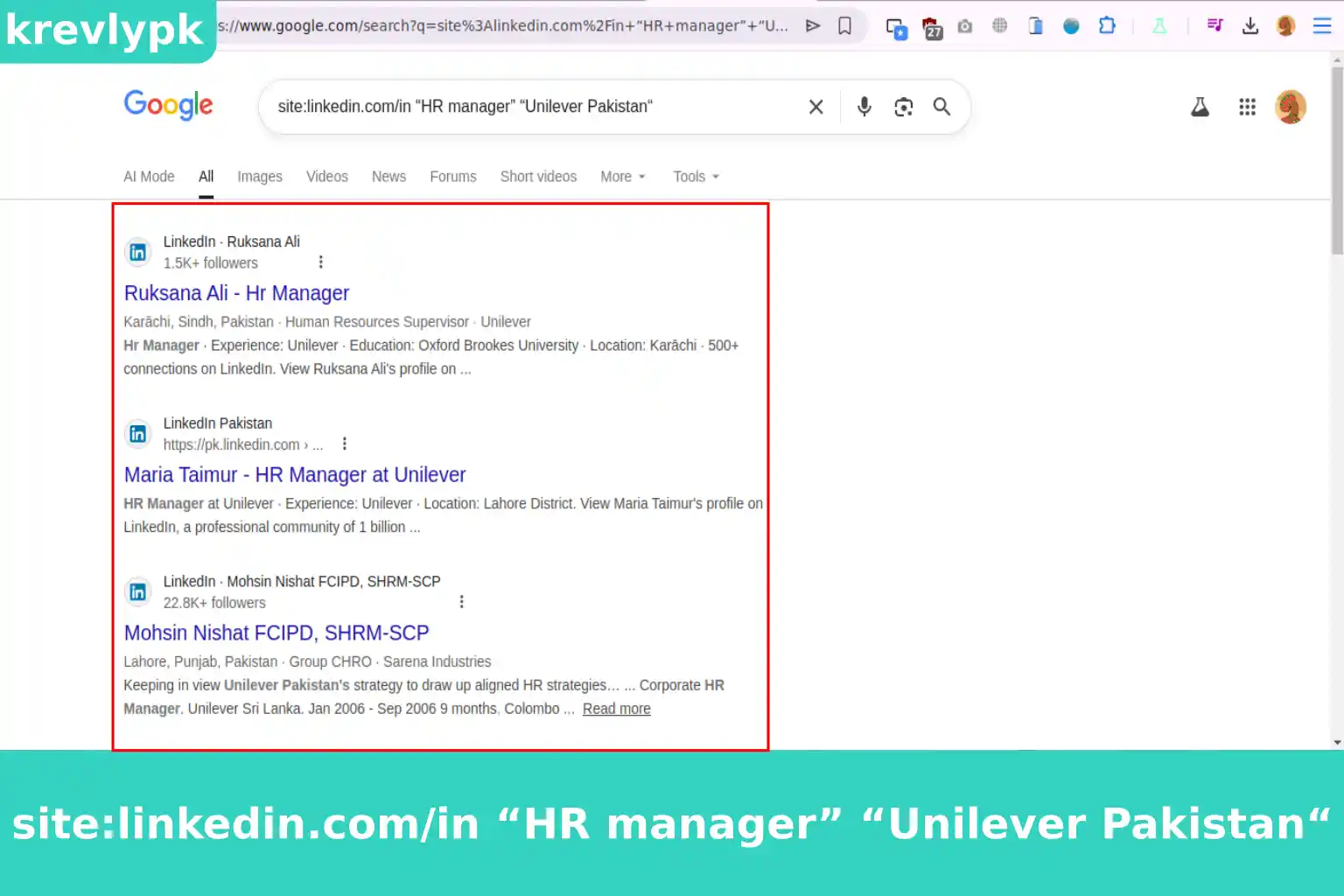
site:linkedin.com/in “HR manager” “Unilever Pakistan“
Finds LinkedIn profiles of HR managers at Unilever Pakistan — your direct contacts for applications. in or pk for your country specific LinkedIn
site:rozee.pk “business analyst” “Lahore” “fresh graduate“
Searches Rozee.pk specifically for business analyst roles targeting fresh graduates in Lahore much more precise than using Rozee’s own search.
site:companycareers.com “apply now“
Searches a specific company’s career page for active job postings.
I am going to share a photo of my search for linkedin HR manager at Unilever Pakistan.
Pro Tip:
Use site:linkedin.com/posts to find status updates from employees and hiring managers not just profile pages. This is where people announce openings before they’re officially posted anywhere.
Technique 3
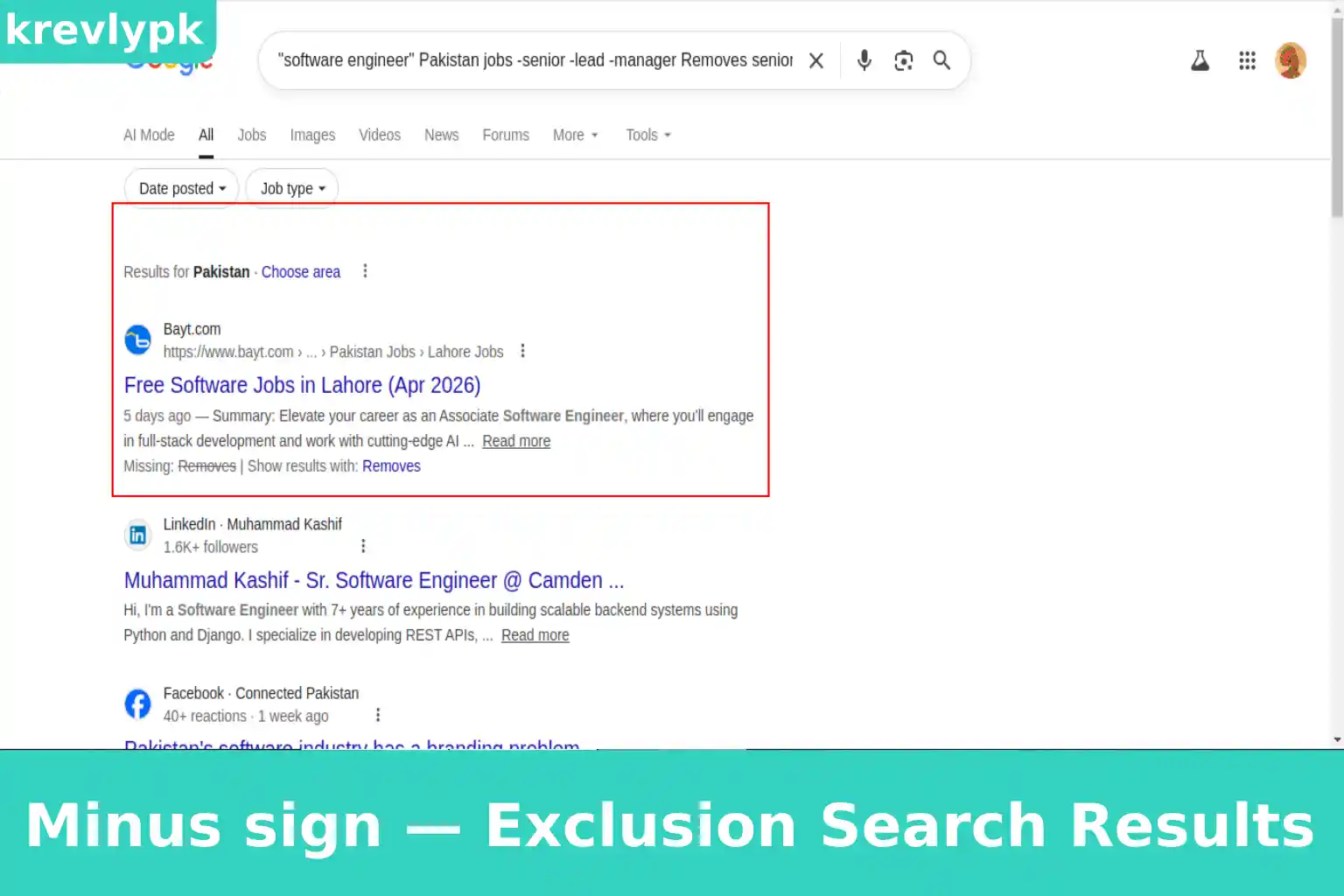
The Exclusion Search
Minus sign — This is special operator. You may never heard of.
Putting a minus sign before a word tells Google to exclude any results containing that word. This cleans up your results dramatically when common words are polluting them.
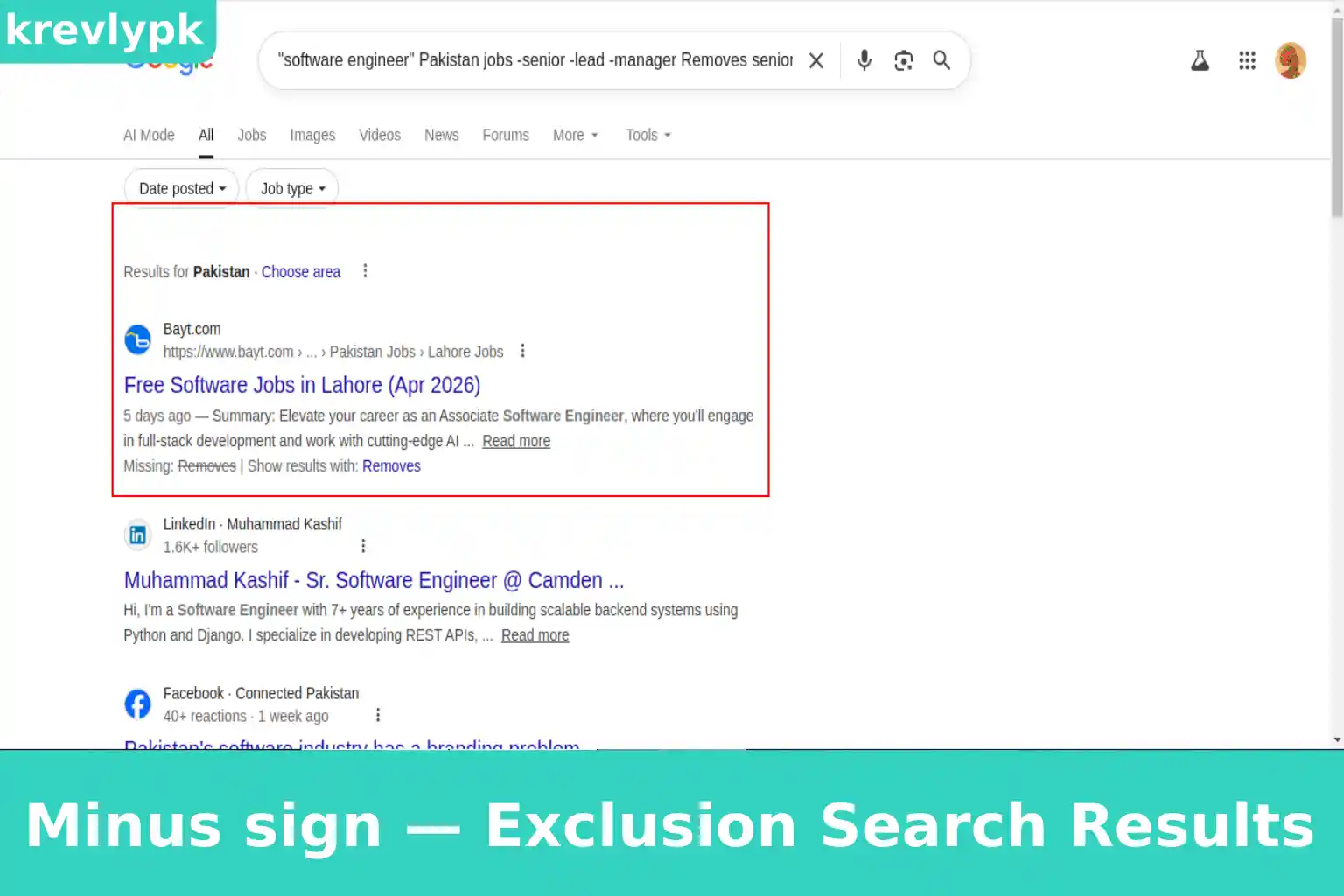
“software engineer” Pakistan jobs -senior -lead -manager
Removes senior-level roles so you only see entry-level positions appropriate for fresh graduates.
“Unilever Pakistan” news -products -price -sale
Removes product and retail news so you only see company and hiring news.
marketing jobs Karachi -freelance -remote -internship
If you want a full-time office role, this removes irrelevant results.
Technique 4
The OR Search
OR (must be capital letters)
Tells Google to find results containing either one term or another. This expands your search without making it vague.
“fresh graduate” OR “entry level” “marketing” “Karachi” jobs Finds postings that use either phrase to describe entry-level roles.
“Procter Gamble Pakistan” OR “P&G Pakistan” hiring
Companies are sometimes referred to differently in different places this catches both.
“business development” OR “sales executive” jobs Lahore 2026
Finds either role title since companies use different names for similar positions.
Technique 5
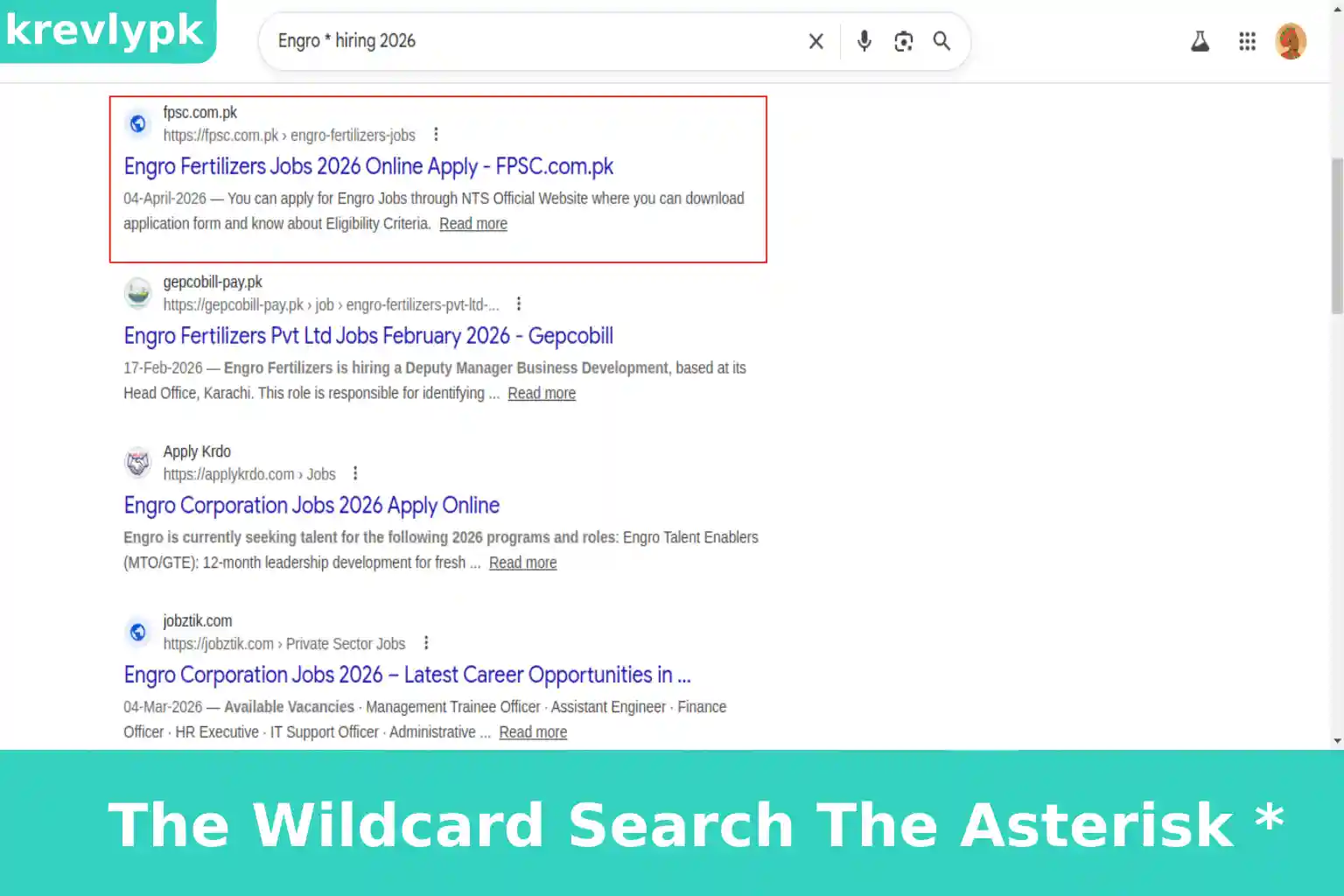
The Wildcard Search
Asterisk * This is special method.
“Engro * hiring 2026“
Finds any Engro subsidiary or division announcing hiring Engro Fertilizers, Engro Foods, Engro Polymer, all of them.
” trainee program Pakistan 2026″*
Finds any company’s trainee program announcement for 2026 catches programs you didn’t know existed.
“join * team” “Karachi” “marketing“
Finds hiring posts using variations like “join our team,” “join the team,” “join this team.”
Technique 6
The Time Filter
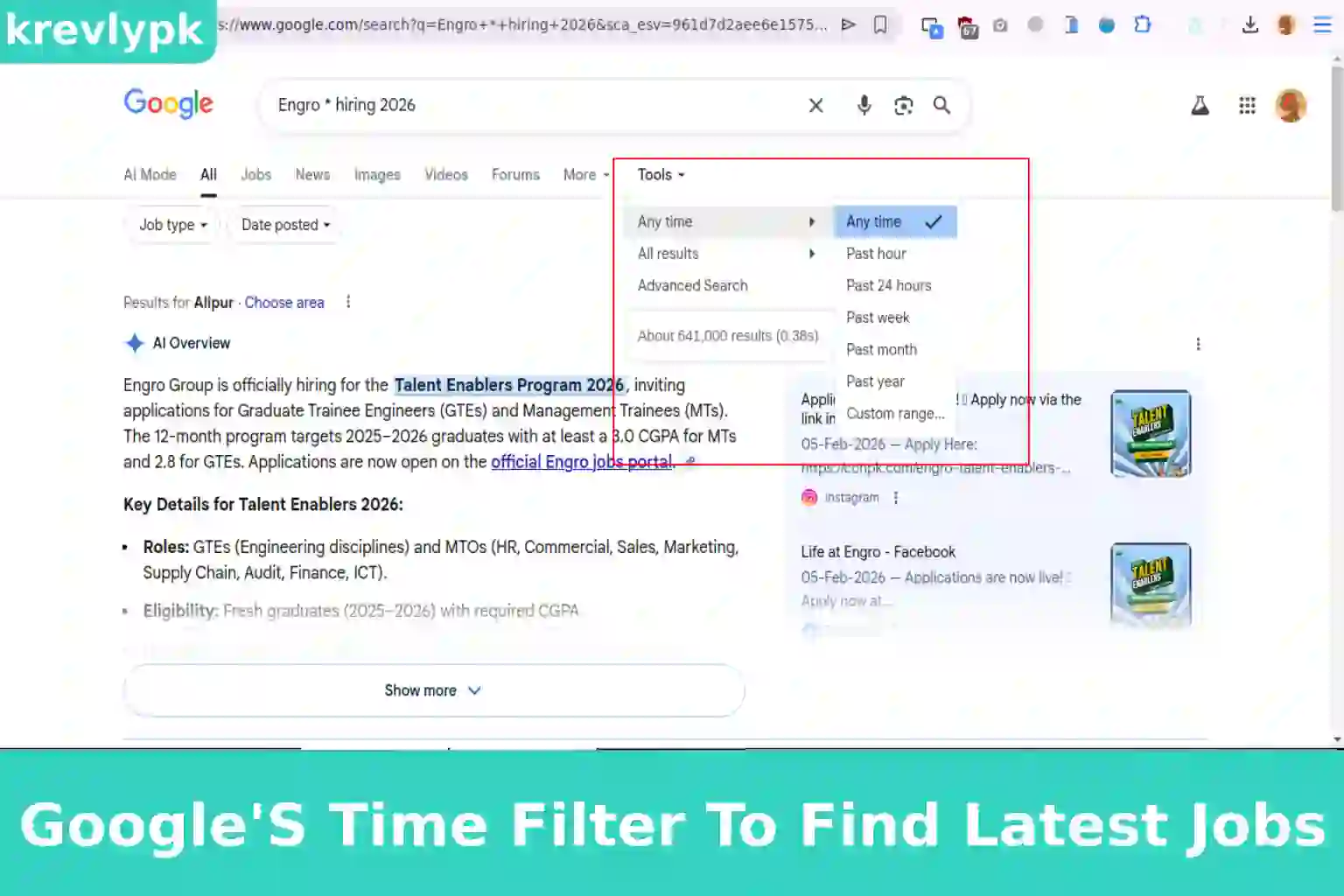
Google lets you filter results by time period. This is essential for job hunting because an old job posting wastes your time and raises false hope.
After running any search, click “Tools” just below the search bar. A dropdown appears saying “Any time.” Click it and select:
Always filter by “Past month” minimum when searching for job postings. Anything older is likely filled or closed.
Technique 7
The Time Filter
filetype: this is used to find files for your job.
Tells Google to find only specific file types. For job hunting, this is most useful for finding salary surveys, industry reports, and company documents that aren’t on regular web pages.
filetype:pdf “salary survey Pakistan 2026“
Finds PDF salary reports — useful for knowing what to expect and what to negotiate.
filetype:pdf “Unilever Pakistan annual report“
Finds their annual report — a goldmine of information about company health, expansion plans, and priorities.
Building Boolean Search Strings: Combining Everything
Boolean search strings combine multiple operators into one powerful query. This is where advanced searching gets genuinely impressive.
Here are ready-to-use Boolean strings for Pakistani fresh graduates:
Find fresh graduate jobs in your city and field: “fresh graduate” OR “entry level” “marketing” “Karachi” -senior -manager -freelance
Find hiring announcements on LinkedIn: site:linkedin.com “we are hiring” OR “join our team” “Lahore” “finance” 2026
Find graduate trainee programs across Pakistan: “graduate trainee” OR “management trainee” Pakistan 2026 -expired -closed
Find hiring managers to contact directly: site:linkedin.com/in “talent acquisition” OR “HR manager” “Islamabad” “tech”
Find company news that signals upcoming hiring: “Packages Limited” OR “Engro” “expansion” OR “new office” OR “new project” Pakistan 2026
Find salary information before negotiating: filetype:pdf “salary survey” “Pakistan” “marketing” 2026
Warning:
Never copy a Boolean search string blindly without reading what it returns. Always scan the first page of results and adjust. If you’re getting irrelevant results, add exclusions. If you’re getting too few results, remove some operators. Treat every search as a starting point, not a final answer.
5 Layers Research Method
Pro Tip:
Screenshot everything useful you find during research. Create a simple folder for each target company. When interview day comes, you’ll have a ready-made briefing document instead of trying to remember what you read three weeks ago.
Using Google to Verify Job Postings
Advanced search isn’t just for finding opportunities — it’s for verifying them too. Before you spend hours on an application or show up for an interview, run these verification searches.
“Company Name” Pakistan site:linkedin.com
A real company will have a LinkedIn presence. If nothing appears, be suspicious.
site:companyname.com “job title” OR “careers” OR “apply”
Is this same job listed on their own website? If not, ask why.
“Company Name” Pakistan scam OR fraud OR fake OR complaint If a company has been reported as fraudulent, this search will usually surface those reports.
site:linkedin.com/pk “HR person’s name” “Company Name“
Does this person actually work there? Does their profile look real?
Common Mistakes That Waste Your Search Time
Mistake
No time filter
Too many operators at once
Searching only job boards
Ignoring company news
One search and done
Not saving good results
Solution
Old results waste your time
Results become too narrow
Misses hidden opportunities
Walk into interviews unprepared
Misses better results
Forget what you found
Final Words
Google has been sitting on your phone and laptop this entire time, quietly capable of things most job seekers never ask it to do. Every operator in this guide is free. Every technique works today. None of it requires a premium account, a paid tool, or insider access.
Scroll to load document…